

Getting started
WELCOME
Spent in five minutes.
A local-only personal finance tracker for Israeli banks. Beautiful, private, open source.
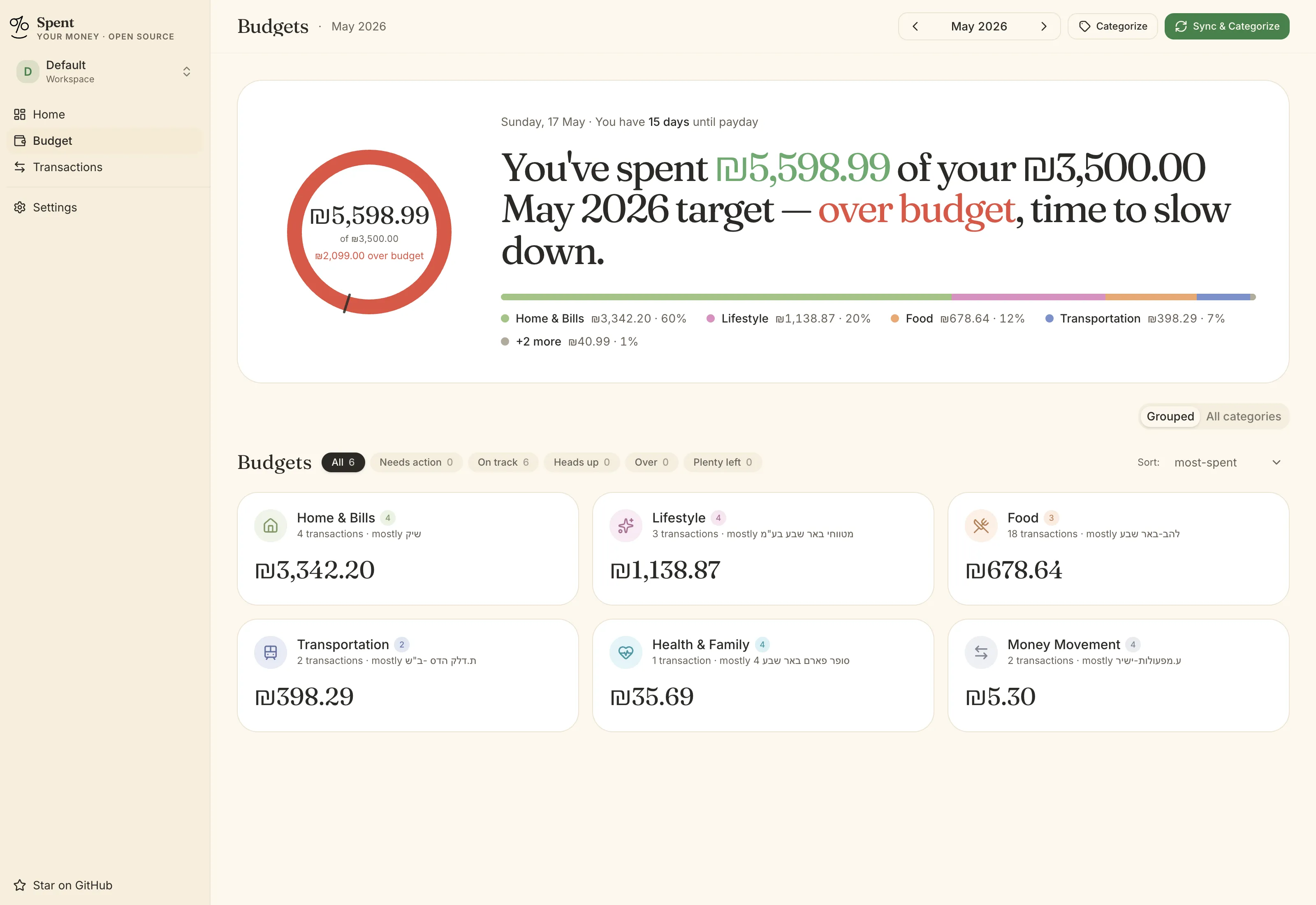
Spent runs entirely on your own computer. It signs into your Israeli banks for you, pulls down the last few months of transactions, sorts them into categories, and shows you a calm dashboard at localhost. No cloud, no accounts, no telemetry.
What you’ll need
Section titled “What you’ll need”- A Mac, Windows PC, or Linux machine.
- About 10 minutes to install and 5 to connect a bank.
- Your bank login credentials (same ones you use on the bank’s website).
- Optional: an Anthropic API key for Claude, or Ollama installed locally. You can also skip AI entirely.
Pick your path
Section titled “Pick your path” START HERE
What is Spent?
One-pager about the project, philosophy, and trade-offs.
Read the intro → INSTALL · MACOSOn macOS
Three commands, about ten minutes.
Install → INSTALL · WINDOWSOn Windows
Three commands, plus a .NET 8 SDK prompt.
Install → INSTALL · LINUXOn Linux
Service-only, no menubar.
Install → USING SPENTConnect your bank
What credentials each Israeli bank needs.
Connect → USING SPENTCategorize with AI
Claude, Ollama, or manual — pick one.
Choose a provider → USING SPENTSync & dashboard
Day-to-day use, menubar, dark mode.
Tour the dashboard → REFERENCESecurity & privacy
How encryption works, what travels the network.
Read the details → REFERENCETroubleshooting
Common gotchas, grouped by OS.
Find your problem →